
Roster Smarter.
Save Time. Reduce Stress.
From factory floors to hospital wards — Roster Monster transforms complex shift planning into a fast, fair, and fully automated process. Built for any team that needs people in the right place at the right time.
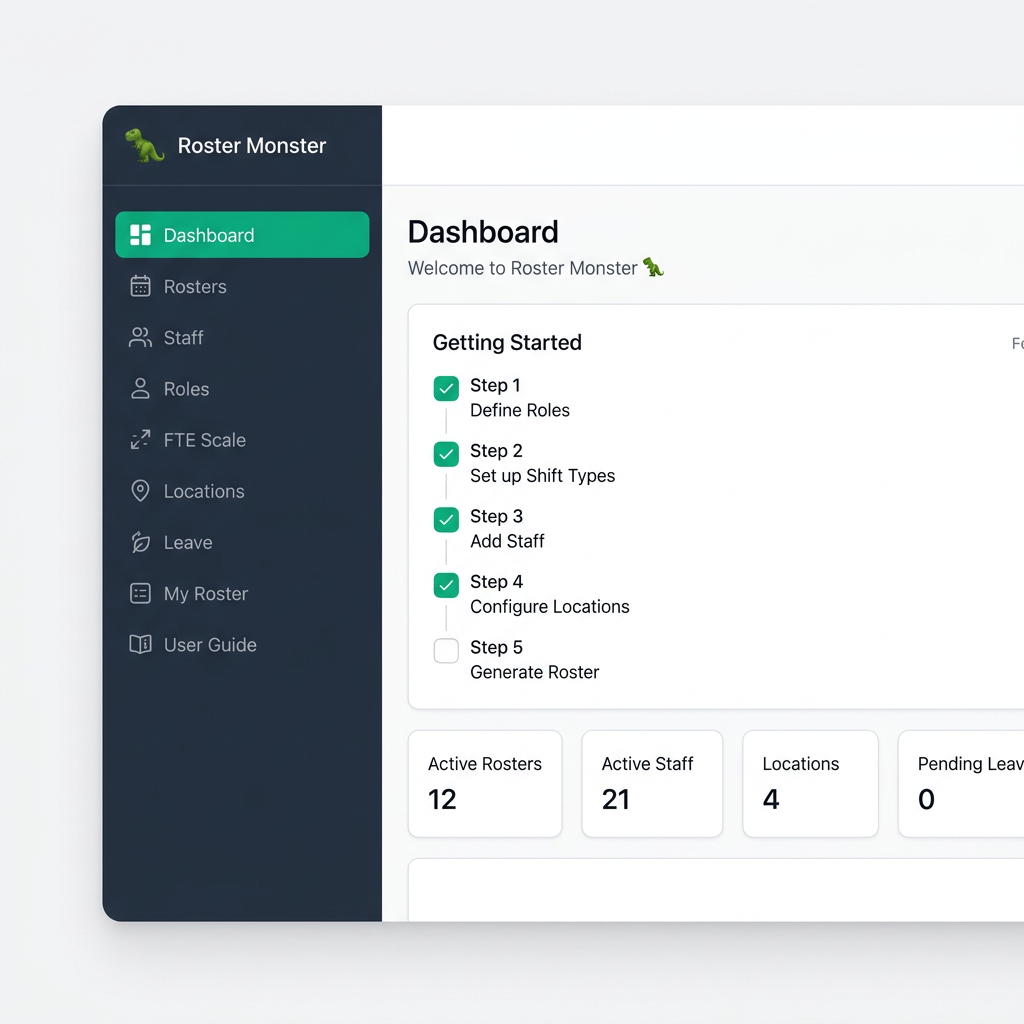
90%
Reduction in scheduling time
100%
Shift coverage visibility
0
Manual spreadsheets needed
Any
Industry. Any team size.
Every Component of Your Roster
One platform covers the entire scheduling lifecycle — from workforce setup and shift generation to analytics, fairness tracking, and accountability.
Rosters
Generate conflict-free schedules with one click, then publish.
Staff
Manage roles, FTE capacity, shift eligibility & group tags.
Roles
Define staff roles with custom colors and descriptions.
FTE Scale
Configure shift types, times, and FTE point values.
Locations
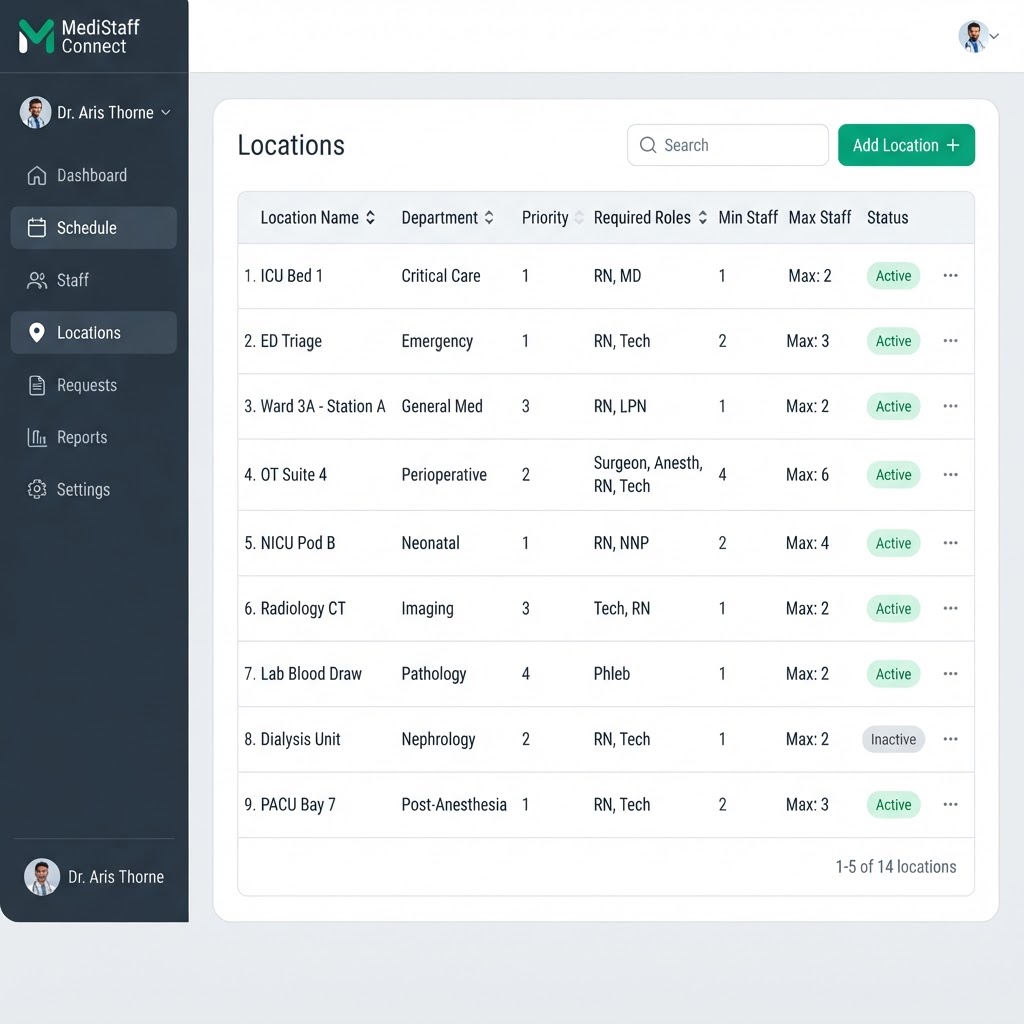
Set stations with priorities, min/max staff & rules.
Leave
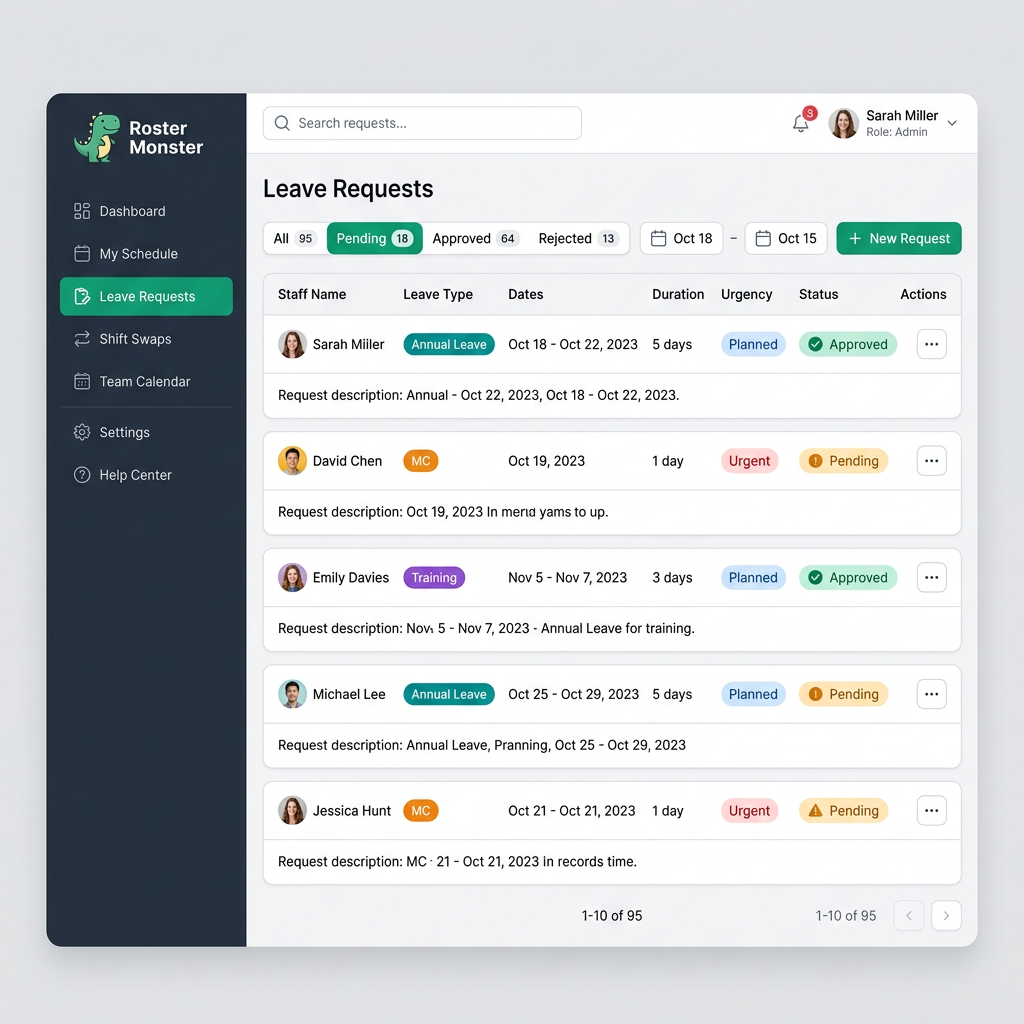
Submit and approve planned or urgent leave requests.
Rotation Plans
Build cyclical rotation schedules across locations.
Roster Import
Bulk import staff and rosters from CSV or Excel.
Dashboard
Overview of rosters, staff, locations & pending leave.
My Roster
Staff self-service portal to view upcoming shifts.
Shift Analytics
Coverage, workload distribution & bottleneck charts.
Fairness Report
Track FTE equity and shift balance per staff member.
Audit Log
Full history of who changed what, and when.
Workspace Settings
Timezone, roster defaults & organization preferences.
How to Build a Roster in 4 Steps
From empty workspace to published schedule in minutes — no spreadsheets or manual juggling required.
Set up your workspace
Create a workspace for your team. Add roles, shift types with FTE values, and locations with priorities and staffing rules.
Add your staff
Import staff via CSV or Excel, or add them manually. Set roles, FTE capacity, shift eligibility, and group tags for each team member.
Generate your roster
Hit Generate and the AI builds a conflict-free schedule in seconds — respecting roles, FTE limits, leave, fairness, and your custom rules.
Review, refine, and publish
Drag-and-drop any assignment to fine-tune coverage, add ad-hoc duties, then publish. Staff instantly see their upcoming shifts through the My Roster portal.
Built for Real-World Scheduling
Powerful automation meets complete control. Everything you need to plan, adjust, and publish rosters with confidence.
One-Click, Constraint-Aware Roster Generation
Generate a proposed roster using roles, FTE settings, shift eligibility, approved leave and assignment history. Review staffing gaps and override warnings, refine assignments with drag-and-drop, and publish when ready.
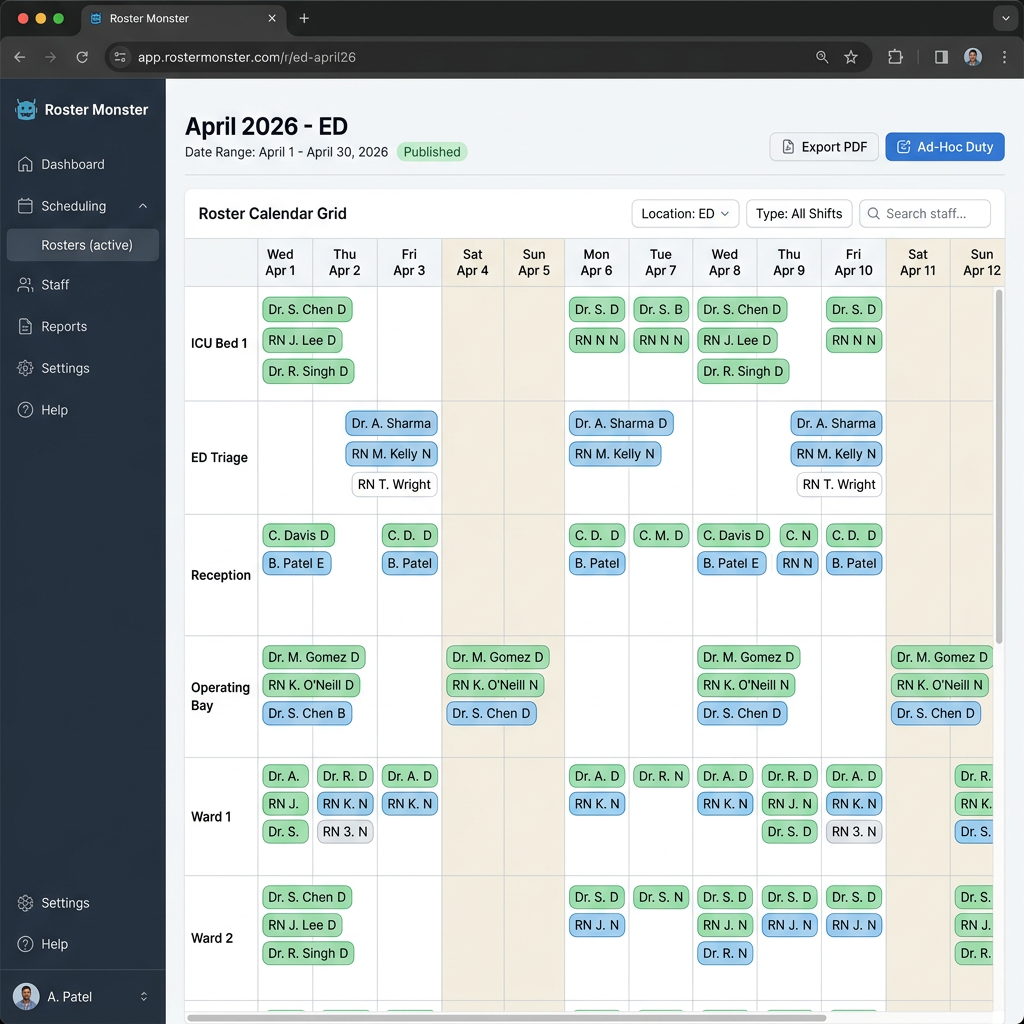
Drag-and-Drop Roster Editing
Pick a day, grab a staff chip, and drop it into a different location or shift cell. Every move is validated against capacity, eligibility, and closed days — invalid drops are refused with a clear reason. Dual-stationing conflicts open a one-tap resolution modal, Undo reverts recent moves, and a suggestions panel flags follow-up fixes. Your manual changes survive re-generation.
Your Entire Workforce, Organised
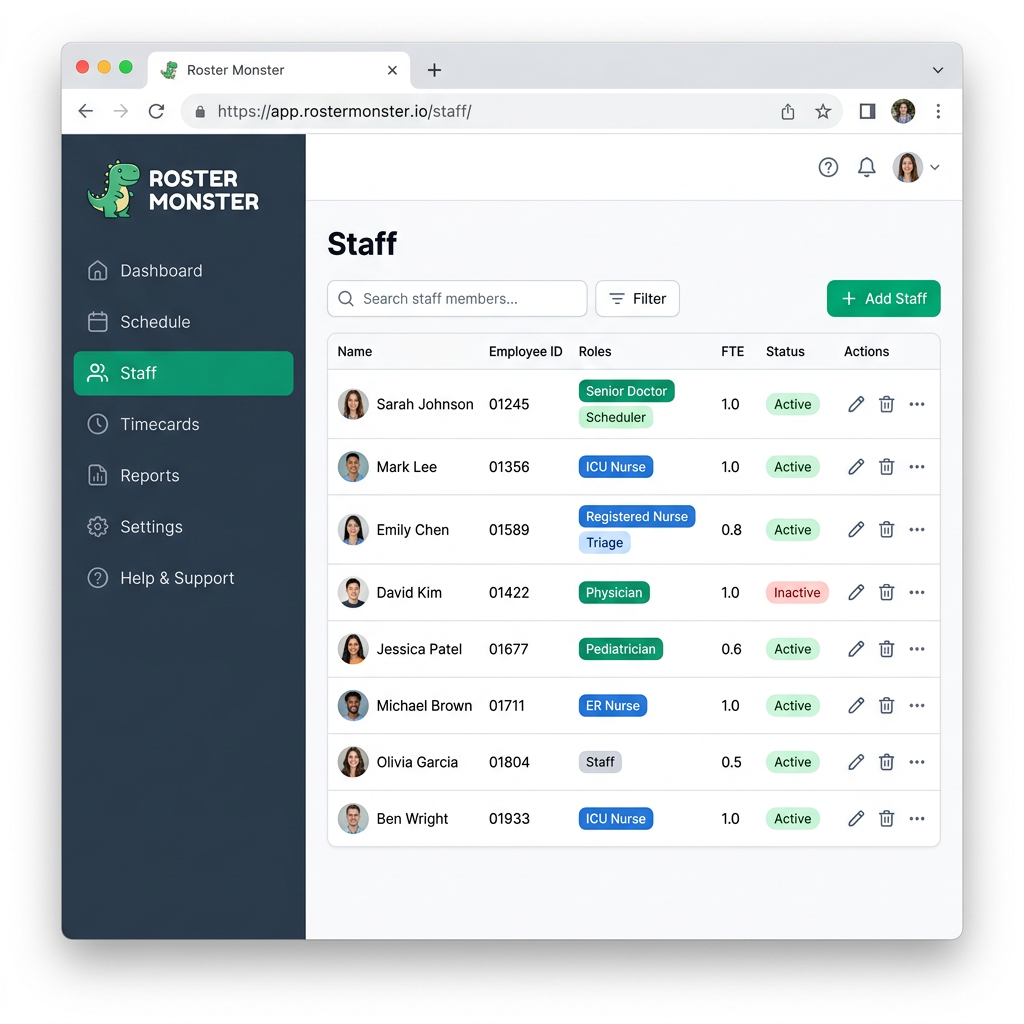
Add every team member with their roles, FTE capacity, shift eligibility, and group tags. Link their app account so they can log in and view their own upcoming shifts through My Roster. Whether you manage 5 people or 500, you always know who can work, when, and where.
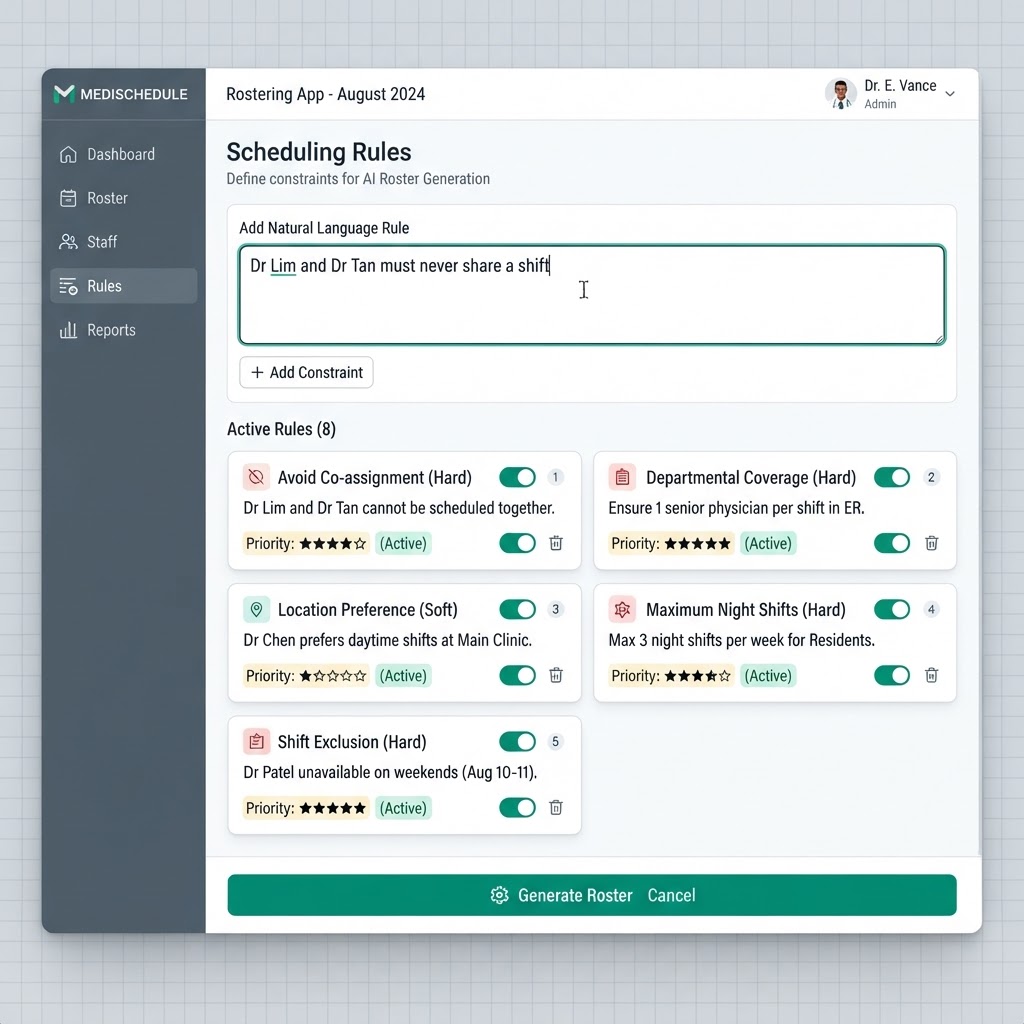
Plain-English AI Scheduling Rules
Describe supported constraints using staff, locations, shifts and roles. AI generation applies fixed overrides and removes automatic exclusion violations, then reports missing role coverage, manual conflicts and soft preferences for your review.
Smart Locations & Priorities
Define station priorities, roles, staffing capacity and different shifts for each weekday. Add week-scope owners and ordered leave substitutes for one or several locations; selected lock shifts follow the daily operating schedule.
Built-In Leave Management & Fairness
Staff submit planned or urgent leave directly in the app. Admins approve or reject with one click — urgent approvals can trigger automatic roster regeneration for affected dates. The fairness engine tracks history so no one is always stuck with the hardest shifts.
Non-Clinical Duties: Admin & Research
Record and approve admin/research Duty Requests, set up non-clinical locations and allocate staff FTE. After frontline scheduling, eligible requests are considered for otherwise unassigned staff, within the roster’s scope and location availability.
Workspaces Keep Teams Private
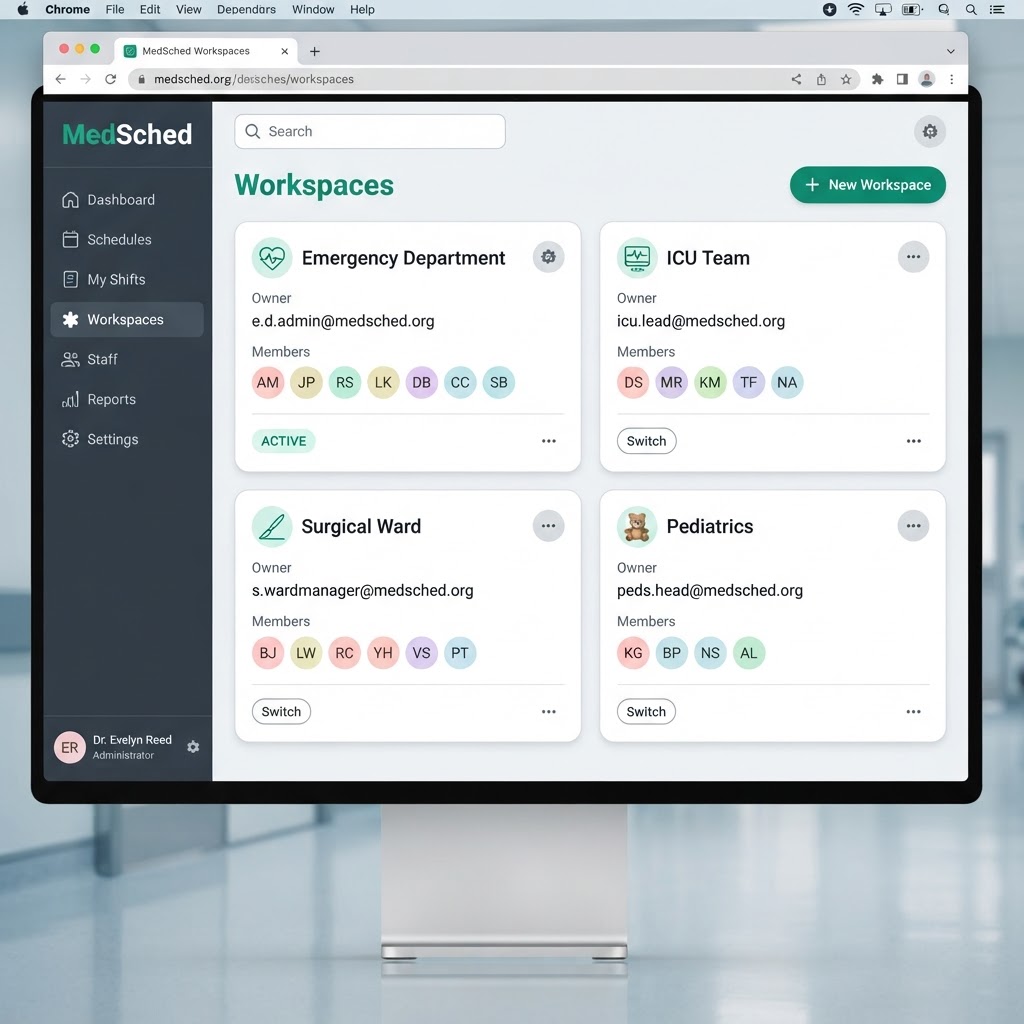
Each team or department lives in its own isolated Workspace. Switch between them from the sidebar, invite members, and keep production data separate from warehouse data. Copy roles, shift types, staff, and locations from any workspace in one click. No cross-team leakage, ever.
Roster Monster vs. Spreadsheets
Why teams are leaving Excel behind for automated scheduling.
| Feature | Roster Monster | Spreadsheets |
|---|---|---|
| Time to build a roster | Minutes — one click | Hours of manual work |
| Conflict & double-booking detection | ||
| Automatic leave management | ||
| FTE & fairness tracking | ||
| Plain-English AI scheduling rules | ||
| Audit trail of every change | ||
| Staff self-service portal | ||
| Works on mobile |
Roster Advisor
Online
Meet the Roster Advisor
Your AI Scheduling Copilot
Can't figure out how to set something up? Open the Roster Advisor chat anytime and describe what you need in plain English. Copy staff between workspaces, create locations for a new department, define complex rules — just ask. The advisor guides you, creates data on your behalf, and answers scheduling questions instantly.
Plain-English Rules
Describe scheduling constraints in natural language.
Acts on Your Behalf
Creates staff, locations, and applies changes instantly.
Scheduling Expert
Answers questions about rosters, fairness, and setup.
Insights, Fairness & Accountability
Go beyond scheduling. Understand your roster with analytics, ensure equity, and maintain a full audit trail.
Shift Analytics
Visualize shift coverage by date, workload distribution across staff, and location fill rates. Spot bottlenecks before they become problems.
Fairness Report
Track cumulative FTE usage and shift counts per staff member. A fairness score highlights who's overworked or underutilized.
Audit Log
Every roster change is recorded — who modified a shift, when, and what changed. Full accountability for your team.
Trusted by Scheduling Teams
Teams across industries are eliminating scheduling chaos with Roster Monster.
"We cut our monthly rostering time from two days to under an hour. The fairness tracking alone has transformed how our team feels about shift allocation."
Sarah Chen
Nurse Unit Manager · Hospital Ward
"The AI rules let me simply type 'no back-to-back night shifts' and it just works. No more spreadsheet formulas breaking at 11 PM."
Marcus Tan
Operations Lead · Manufacturing
"Importing 60 staff from Excel took minutes. By the end of the day we had our first generated roster published and everyone could see their shifts."
Priya Nair
HR Manager · Retail & Service
Ready to tame your roster?
Join teams across manufacturing, healthcare, construction, and beyond who have eliminated scheduling chaos for good.
Frequently Asked Questions
Everything you need to know about Roster Monster.